Take your time back
from your phone.
Most screen time apps ask you politely to stop scrolling. FocusLock uses Apple’s native Screen Time API to hard-lock Instagram, TikTok, and games. No bypass buttons. No excuses.
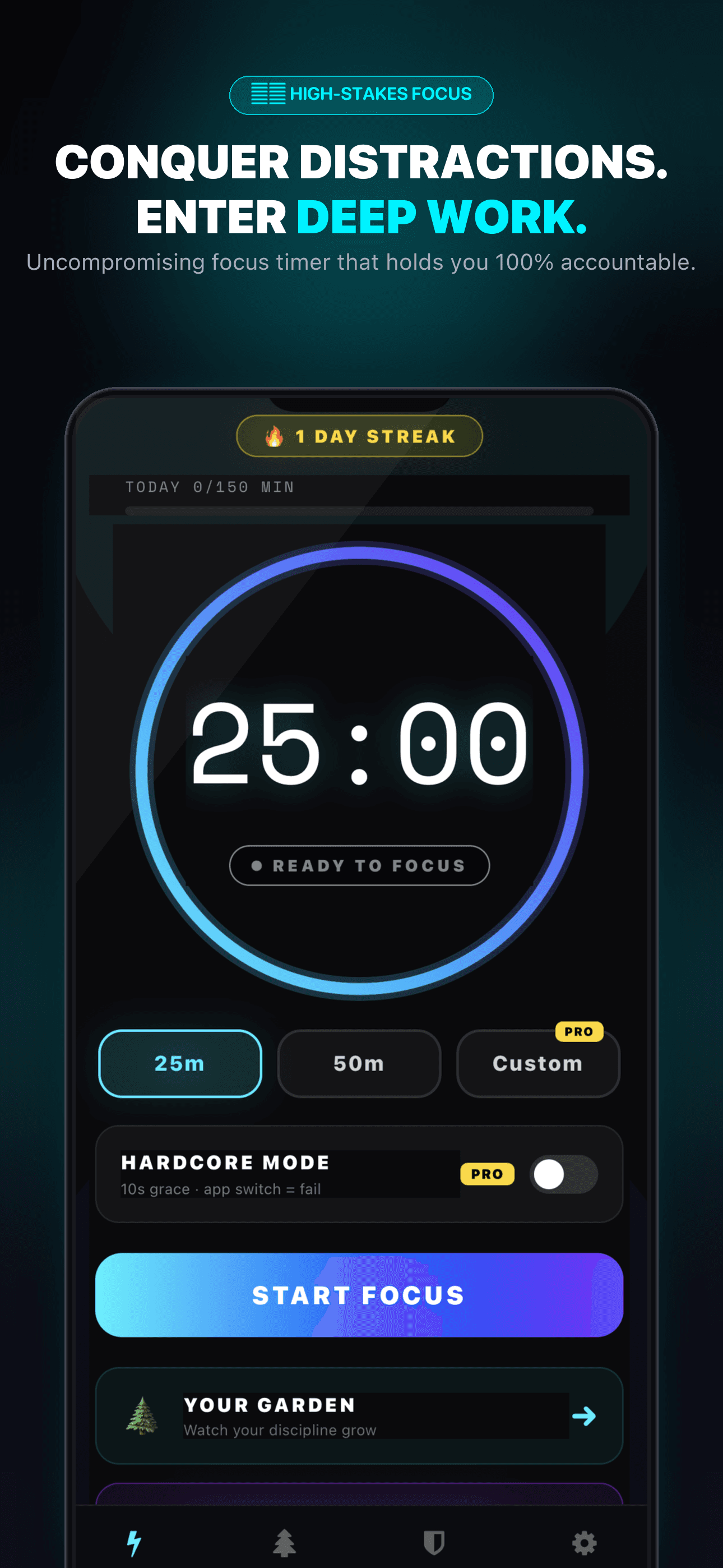
Start a session. Don’t touch your phone.
Choose your focus time (10 to 180 min). If you leave or switch apps during a Hardcore session, your tree dies immediately. Real stakes, real focus.
How FocusLock works.
Willpower gets tired. FocusLock replaces willpower with a system lock so you can do your best work.
Pick your distractions
Choose the apps that steal your attention — TikTok, Instagram, YouTube, or mobile games. You can block everything or select specific apps.
Start your ritual
Apple Screen Time shields your blocked apps at the operating system level. Turn on Hardcore Mode, and leaving the app fails your session instantly.
Grow your cyber garden
Every completed focus session grows a glowing digital tree in your garden. Quit early, and the tree dies. Build an entire forest of discipline.
Built for serious deep work.
Every feature in FocusLock is designed to protect your attention from engineered digital distractions.
Hardware-level app shield
Not a soft reminder you swipe away. FocusLock uses native Apple Screen Time APIs to strictly lock Instagram, TikTok, and games at the OS level.
A living garden that keeps you honest
Turn your focused hours into glowing digital art. Complete sessions grow rare trees. Give up or switch apps, and your tree withers on your device.
Zero second grace period
For those who want zero excuses. Minimize or leave the app for even one second during a hardcore ritual, and your session fails immediately.
Parental PIN for kids’ devices
Lock distracting feeds and games on your child’s iPhone during homework or dinner. Protected by your 4-digit PIN so kids can’t bypass or delete it.
Streak saver & reminders
Set daily minute targets. Receive a gentle notification in the evening if your streak is in danger, and schedule automated focus sessions.
Monthly heatmap calendar
A GitHub-style contribution calendar of your concentration. Tag sessions by type (Deep Work, Study, Reading) and watch your habits compound.
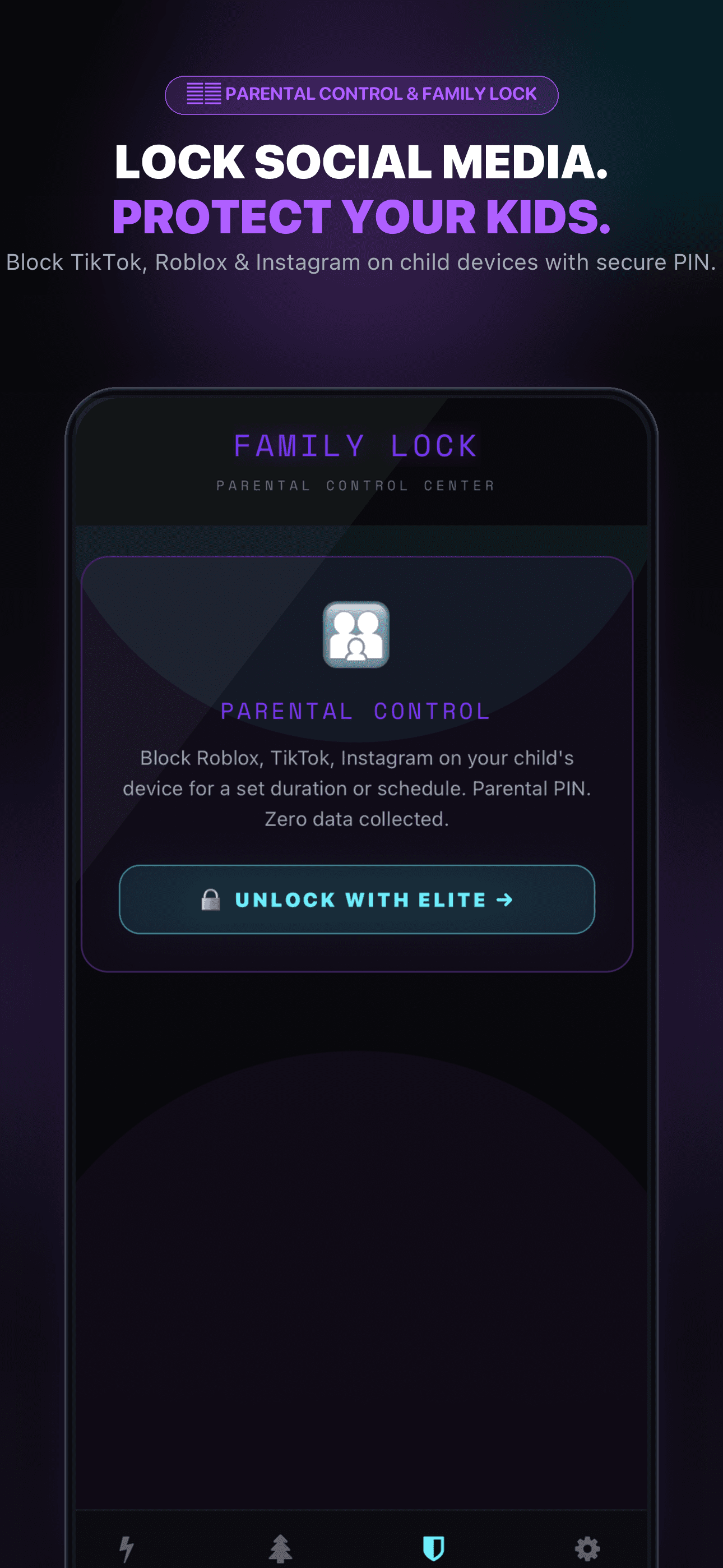
Turn off Roblox at dinner.
Without having an argument.
Kids aren’t failing at discipline — they are up against algorithms engineered to keep them scrolling. FocusLock gives parents a system-level lock secured by a 4-digit PIN.
Protected by your secret PIN
Kids cannot delete the app, change settings, or use time-zone loopholes to unlock their feeds.
Block specific apps & games
Lock TikTok, Roblox, and YouTube while leaving calculator, school apps, and phone calls accessible.
Zero data collection, zero creepiness
We never track your kids, read messages, or collect location data. Everything stays on the device.
How FocusLock compares.
Soft notifications and “Ignore limit for 15 minutes” buttons don't work when temptation hits. Here is the breakdown.
Less than a coffee a month.
Hours of your life back every day.
Try FocusLock free for 3 days. If you don't feel noticeably more focused and present, cancel in one tap in your iPhone settings. No questions asked.
FocusLock Free
Daily essential focus rituals.
- Focus timer (10 to 60 minutes)
- 1 daily focus ritual
- Daily streaks & session history
- Share cards for your accomplishments
- 100% ad-free, forever
Elite Annual
Complete focus and app blocking toolkit.
Includes a full 3-day free trial. You won’t be charged today. Cancel anytime in 1 tap.
- Everything in Free
- System-level App Shield (Apple Screen Time API)
- Hardcore Mode (0-second grace period)
- Family Lock with 4-digit parental PIN
- Full living cyber-tree garden
- Custom timer durations up to 180 minutes
- Scheduled daily focus routines
- Monthly GitHub-style streak heatmap
- Direct priority support from the developer
Lifetime Pass
Pay once. Own it forever.
- Every single feature in FocusLock Elite
- One-time payment — zero recurring fees
- All future app updates and new trees included
- Linked to your personal Apple ID
- 100% offline-first architecture
Everything you need to know.
Clear, straightforward answers about how FocusLock shields your apps, protects your privacy, and handles subscriptions.
Your privacy is not for sale.
FocusLock operates entirely on-device. We don't have servers logging your habits, we don't know what apps you use, and we never will.
100% On-Device Storage
Your focus logs, trees, and parental PIN never leave your iPhone.
Zero Third-Party Trackers
No tracking SDKs, no ad pixels, and no analytics cookies.